You must be logged in as an Administrator to make any substantial changes to the system’s
configuration on the TracPhone V7-HTS web interface. To prevent unauthorized user access,
KVH recommends that you change the Administrator password to something unique.
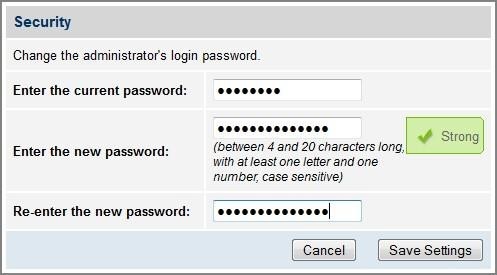
To change the Administrator password, follow these steps:
- At the TracPhone V7-HTS web interface, click the Settings tab. Then click Account.
- In Security, click Edit.
- Enter the current password. If the password has never been changed, enter the default
password: “password”.
NOTE: The password must be between 4 and 20 characters in length, with at least one letter
and one number, case-sensitive. - Enter and then re-enter your new password.
- Click Save Settings.
Changing the Administrator Password