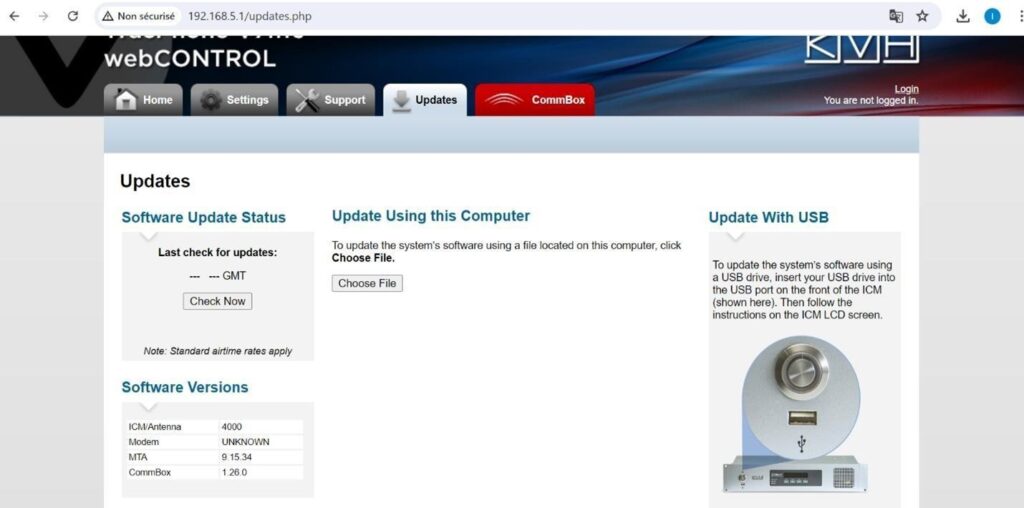
To update straight to the antenna, save the V7HTS-xxxx.bin file to your desktop then follow the
instructions below:
- Open a web browser and go to the following address: 192.168.5.1
- Click the Updates tab at the top of the page
- Click the Choose File Button under the Update Using this Computer heading
- You will be prompted for a password, the default password is “password”
- Click Browse and select the V7HTS-xxxx.bin file from your desktop
- Click the Check File button
- The ICM will now update